
1.2 KiB
1.2 KiB
lxc-iptag
lxc-iptag is a simple script to add ip tags to LXC containers.
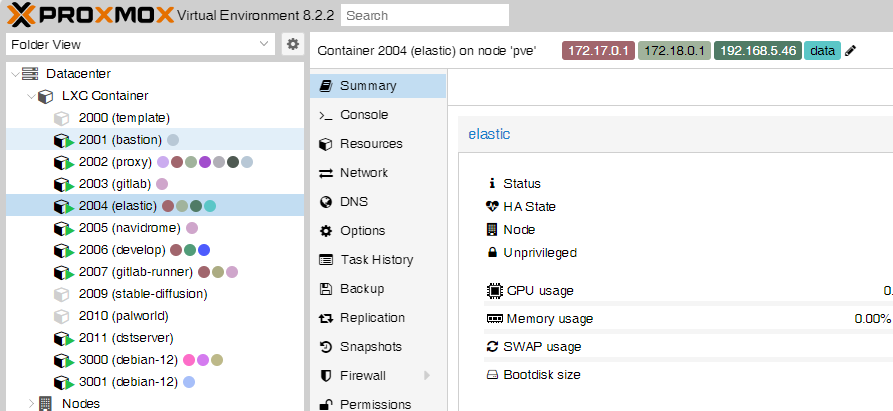
1. Installation
curl -sL https://github.com/gitsang/lxc-iptag/raw/main/install.sh | sudo bash
This script will:
- Install script prerequisites
- Install the
lxc-iptagscript to/usr/local/bin/lxc-iptag - Copy config file to
/usr/local/etc/lxc-iptag.conf - Add a systemd unit to start the service
1.1 Update
sudo curl -sSL https://raw.githubusercontent.com/gitsang/lxc-iptag/main/lxc-iptag -o /usr/local/bin/lxc-iptag && sudo chmod +x /usr/local/bin/lxc-iptag
sudo systemctl restart lxc-iptag.service
This script will only update the lxc-iptag executable script
2. Configure
Open /usr/local/ect/lxc-iptag.conf and change the config
| Option | Example | Description |
|---|---|---|
| CIDR_LIST | (192.168.0.0/16 100.64.0.0/10 10.0.0.0/8) |
IP filter list in CIDR format |
| CHECK_INTERVAL | 60 |
Checking loop interval in seconds |